 Ingle
Ingle
Stream at 1080p and 60 fps. Free.
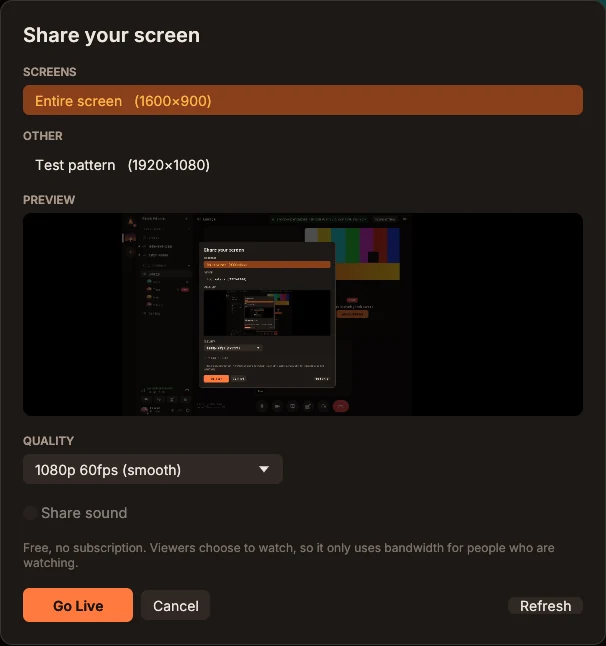
Share your whole screen or one window, with a live preview first. Go up to 1080p60, or 1440p for sharp text. Friends choose to watch, so a stream only uses bandwidth for the people watching it.
Get Ingle (it's free), then open your invite to join.
Voice channels, webcams, smooth 1080p60 screen sharing and Discord-style chat for your group. Free, with no account to make.
Ingle isn't on Mac yet. It runs on Windows and Linux PCs.
Open this page on your PC to download. Ingle isn't on phones yet.

Ingle works the way your group already does, so it feels familiar from the first minute. The difference is who it answers to: you.
Share your whole screen or one window, with a live preview first. Go up to 1080p60, or 1440p for sharp text. Friends choose to watch, so a stream only uses bandwidth for the people watching it.
Opus voice up to 192 kbps, echo cancellation and noise suppression. Voice isolation lets only your voice through: no keyboard, fans or TV.
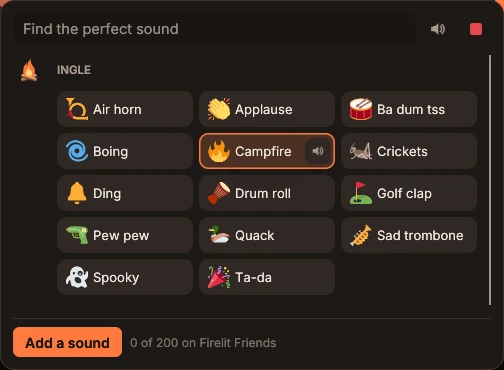
Ingle's own sounds and up to 200 of your server's, ready in any call. Play them with a key, even in a game.
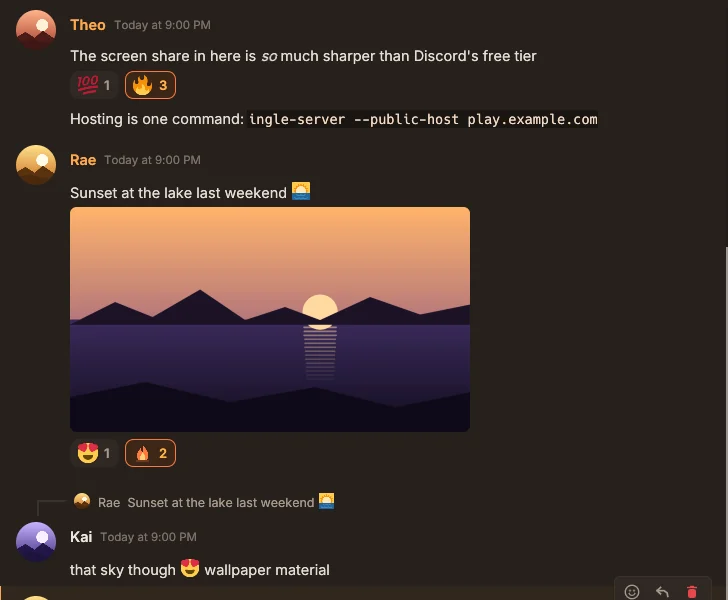
Text channels, replies, reactions, @mentions, pictures, GIF search, custom emoji and favorites.
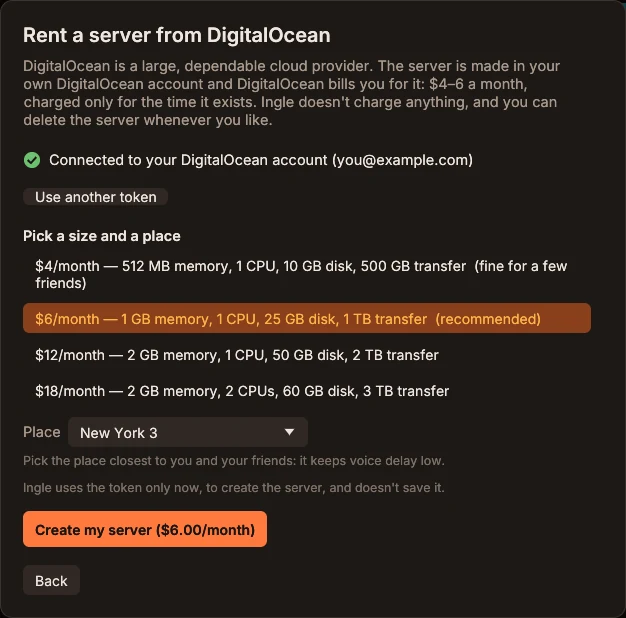
Rent a small one in your own DigitalOcean account in a few minutes, or use any VPS you have. A backup moves it anywhere, history and all.
Voice, cameras and screens are end-to-end encrypted. Make sure it's really them in ten seconds: say six words to each other, or ask something only they'd know. Then nobody can listen in, not even the server.
Your identity is a key on your PC, not an email address or a phone number. It works on every server, and nobody asks for your ID.
A native app written in Rust, not a web page in a box. Updates are signed by Firelit Games, and one click installs them and puts you back in your voice channel.
Only one person in your group needs a server. Everyone else just installs Ingle and clicks the invite.
Download it free for Windows or Linux. There's no account to make: Ingle creates your identity on your PC.
Click Create a server. Rent a small one in your own DigitalOcean account, set up any VPS you already have, or host on your PC.
About $4–6 a month for the whole group, billed by your host. Free on a PC you leave on.
Send the invite link. Friends install Ingle and open it, and they're in, with every channel ready.
Discord does a lot well. Here's where Ingle is different, side by side with Discord's free plan.
Streaming in 1080p60 on Ingle
Ingle is free. Your group's server costs about $4–6 a month in all, billed by your host, or nothing on a PC you leave on.
Streaming in 1080p60 on Discord
Or a server with 7 boosts. Discord's free plan streams at 720p30.
Discord details from Go Live and Screen Share, Server Boosting FAQ, Nitro and Discord's blog, checked October 2026. Prices in US dollars. Discord is a trademark of Discord Inc.; Ingle isn't connected with Discord.
Install programs, add-ons and skins from the Ingle Library, right inside Ingle. Every plugin is built from its Rust source code, and only after someone has read it.

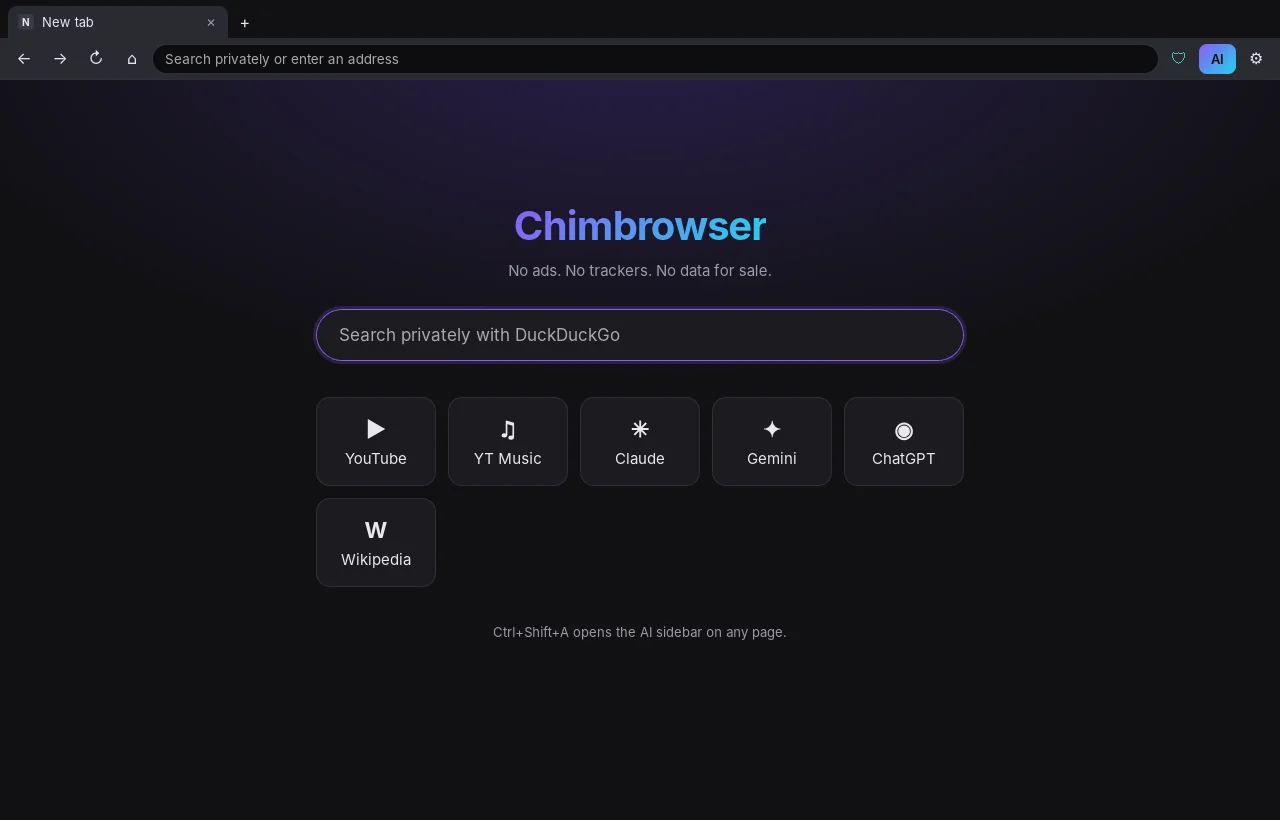
A lean, private browser: it blocks ads and trackers, makes YouTube play smoothly, and has an AI sidebar for Claude, ChatGPT, Gemini and others. Install it, and it opens right inside Ingle.
Add-ons run inside Ingle in a sandbox. They can't touch your files or the internet, and they only do what you allow. The first one, Dice, rolls in chat: /roll 2d6+1.
Add Ingle's Claude connector in Settings → Claude, and Claude can build a skin or a plugin with you, show the skin on your Ingle while you talk it over, and send it to the Ingle Library, where it's reviewed before anyone else sees it. The plugin kit has everything Claude needs.
Ingle checks every file against the library's signed list before it installs a plugin or a skin, and again each time a program opens.
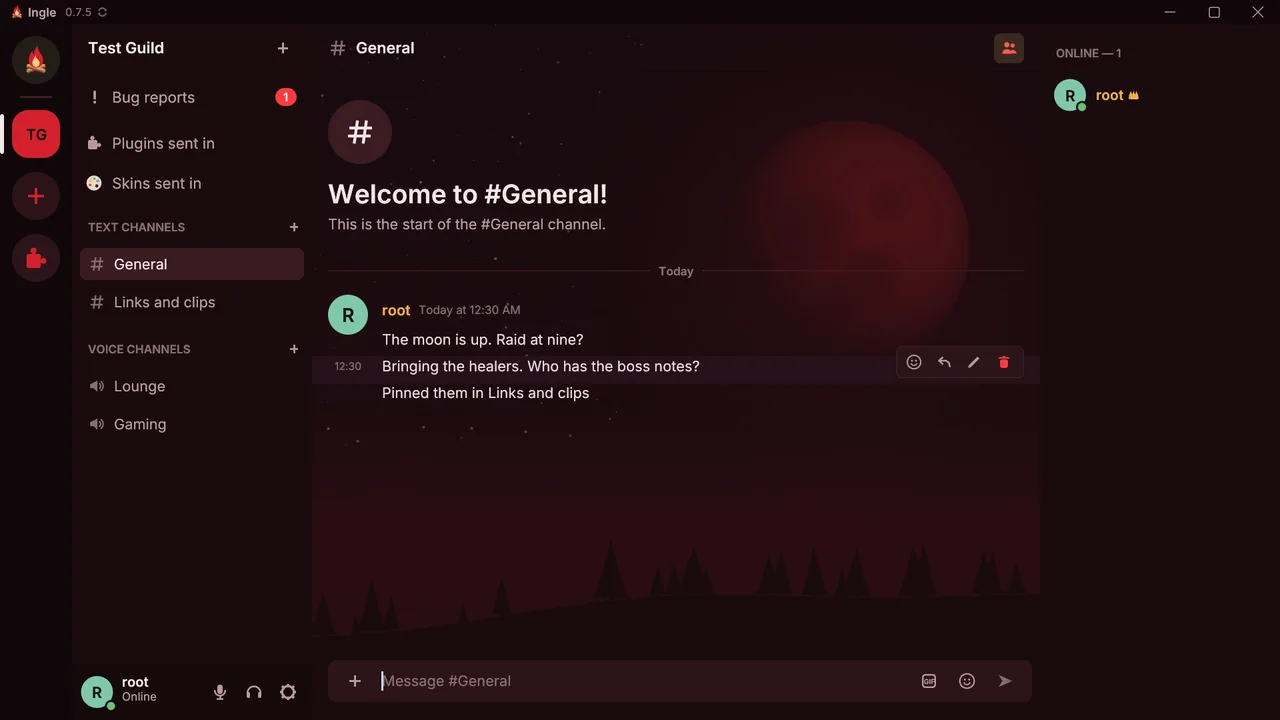
Change Ingle's colors, put a picture behind the chat, and bring fonts and sounds of your own. Skins have no code, and Ingle checks every file before it uses one. Blood Moon is the first; Settings → Appearance brings back Campfire any time.
Released October 16, 2026
Ingle is an old Scots word for the fire in a hearth: the place people gather. Free for Windows and Linux.
Yes. The app is free and Ingle never charges you. The only cost is your group's server, if you rent one: about $4–6 a month from DigitalOcean (or whichever host you pick), billed by them, for the whole group. Hosting it on your own PC is free; the PC just has to stay on.
No. One person sets up the server, and everyone else installs Ingle and opens the invite link. You can be in as many servers as you like.
Windows shows that for new programs that aren't code-signed yet, and Ingle is new. Click More info, then Run anyway. You don't need to turn anything off.
Want to check first? The code is on GitHub, and the download's SHA-256 is shown after you click Download. After that, updates are checked against Firelit Games' signature.
Calls (voice, cameras, screens and stream sound) are end-to-end encrypted: not even the server can listen. Text messages and pictures are stored on your group's server, like Discord's are on theirs, so whoever runs the server could read them. End-to-end encrypted messages are coming in Ingle 0.8.
Not yet. Ingle runs on Windows 10 and 11, and on Linux (Ubuntu 22.04 or newer, Linux Mint 21+, Pop!_OS, Debian 12+).
Yes. The owner's Ingle backs the server up to their PC every hour, and a backup sets up the same server on any other host, with all its history. You're never tied to one provider.
Ingle checks for a new version every few hours (or when you click its version number at the top of the window). When there is one, a green Update button shows up there: click it, and Ingle downloads it, checks Firelit Games' signature, installs it and puts you back in your voice channel.
On Windows, use Settings → Apps → Ingle → Uninstall. Your identity and settings stay in %APPDATA%\Ingle, in case you come back. On Linux, run sudo apt remove ingle.